✈️ FREE SHIPPING over $199 (USA, Canada & Mexico)


Gloss White Signature Folio Box for 11×14 Mats (15 deep)

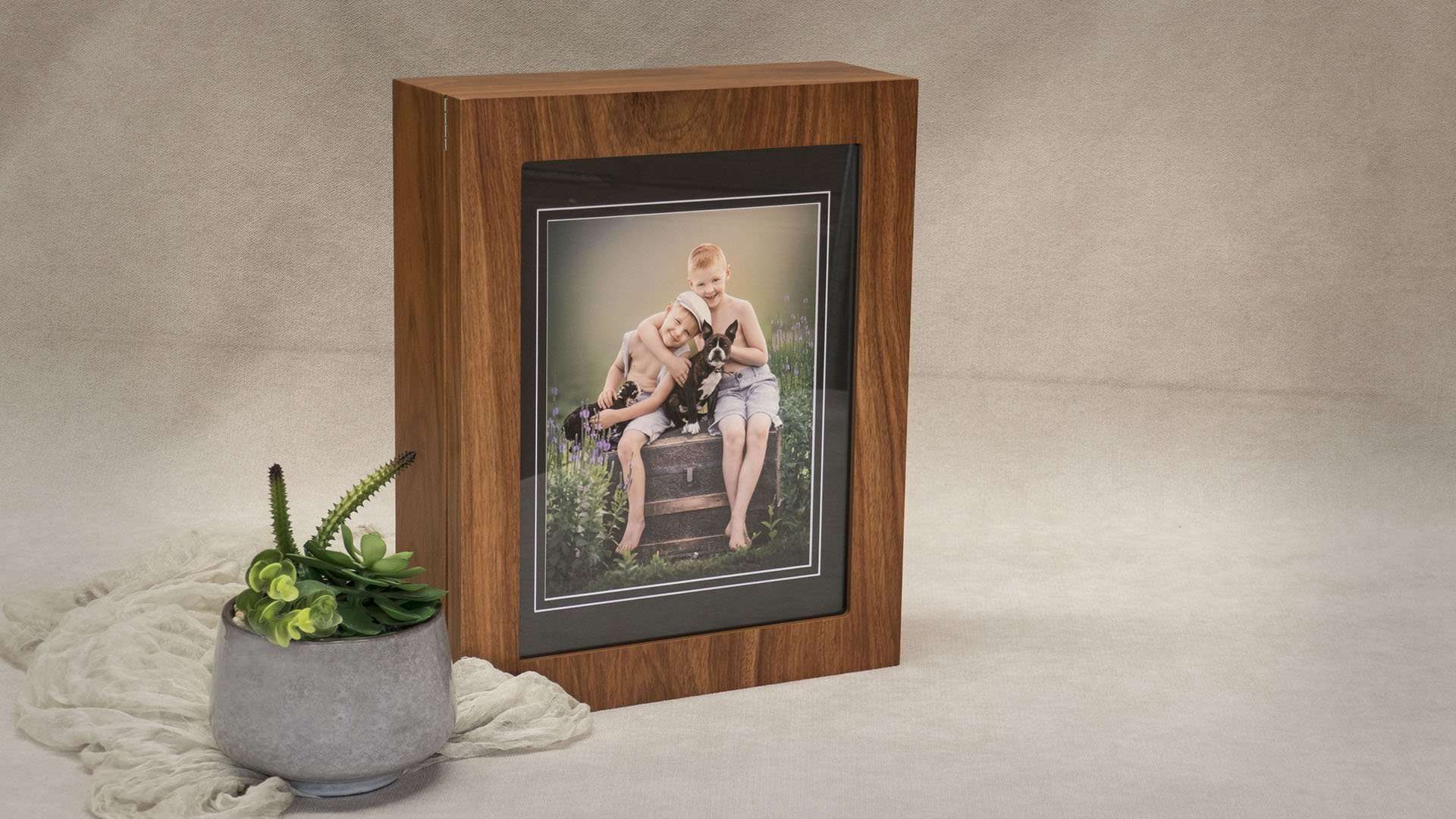


Our best selling Folio Box, the 11x14inch Signature Box is a timeless classic featuring a glass window to showcase your client’s beautiful images. Now featuring a magnetic panel to hold a matted print up against the inside glass window. Allows the folio box to stand vertically or horizontally as a frame. This box will accommodate up to 15 Matted Prints.
Category: Signature Tags: Gloss White, Logo Printing, Signature Range, Up to 15 Mats
Volume Pricing - Buy More Save More
| 1-3 | $179.00 |
| 4-7 | $176.50 |
| 8-11 | $174.00 |
| 12+ | $169.00 |
Customize your Folio Box
Select from the options below to fully customize your box
PRODUCT DESCRIPTION
Our best selling Folio Box, the Signature Box is a timeless classic featuring a glass window to showcase your client’s beautiful images.
Available in the following sizes, finishes and depths:
· 8×10” Box to hold up to 25 Mats – Matte Black & Gloss White
· 11×14” Box to hold up to 15 Mats – Matte Black, Gloss White & Rosewood Veneer
· 11×14” Box to hold up to 25 Mats – Matte Black, Gloss White & Rosewood Veneer
· 11×14” Box to hold up to 35 Mats – Matte Black & Gloss White
Features:
· A large clear window
· Chrome details
· Soft-close hinges to prevent the lid from suddenly closing
· Lockable lid with a chrome release button at the front of the box
· Felt-lined interior with black lift-out ribbon
· The bottom of the box is also felt-lined to prevent scratching surfaces
Product specifications
External Dimensions
315 W x 390 L x 80 H mm (15 Deep Box)
315 W x 390 L x 105 H mm (25 Deep Box)
315 W x 390 L x 130 H mm (35 Deep Box)
Internal Dimensions
287 W x 362 L x 50 H mm (15 Deep Box)
287 W x 362 L x 75 H mm (25 Deep Box)
287 W x 362 L x 100 H mm (35 Deep Box)
Window
238 W x 313 L mm
FOLIO BOXES
Are your Folio Boxes in stock or made-to-order?
All our products are in stock to ensure you receive your order as soon as possible!
Is there a minimum quantity of Folio Boxes I must order?
There is no minimum quantity when ordering Folio Boxes.
Can Folio Boxes be custom made?
No, the Folio Boxes online are what we have available.
Can I have my logo on any Folio Box?
No, please visit the product page to view if that product has logo printing available.
PRINTING TEMPLATE
View Setup Instructions
Printing Template Setup Instructions
Please follow the steps below prior to adding the product to your cart:
1. Download the Logo Printing template file for this product.
2. Open the template file in Adobe Photoshop, then add, size & position your logo on to a new layer.
(Watch the instructional video on how to setup the template file correctly if you need more help)
3. Save the completed template file as a Photoshop (PSD) file without flattening layers to your computer.
4. Attach the completed template file to the product. (First Time SETUP only)
5. Add product to cart.
VERY IMPORTANT
A different colour or size of the product requires a new printing template to be uploaded as "First Time SETUP".
Also any change to your logo design, logo position or logo size requires a new printing template to be uploaded as "First Time SETUP".
If you need further assistance please contact us.
Please watch the instructional video below for help setting up your printing template file.

Please note: Printing Template setup should be completed on a desktop computer.

